
Download PhotoInstrument – Photo Editor, Face Retouching, Portrait Editing, Skin Smoothing, Red-Eye Removal, Makeup Tool
Overview
PhotoInstrument is a mobile photo editing application designed to simplify the process of enhancing portraits and improving image quality for users who may find traditional editing software overwhelming. The app targets individuals seeking professional-grade results without the complexity of advanced tools, making it ideal for casual users, social media enthusiasts, and those new to photo editing. Its primary purpose is to deliver high-quality retouching, particularly in facial enhancement, skin smoothing, and correcting common photographic flaws such as red-eye.
The app is especially useful in scenarios where users want to present polished, natural-looking portraits for personal or social use. Although the developer did not provide additional background information, the app has been available since 2017, indicating a stable presence in the mobile photography space. Real-world use cases include preparing images for social media, improving profile pictures, or enhancing family photos.
In the broader app ecosystem, PhotoInstrument fills a niche for accessible, specialized portrait editing tools on mobile platforms, offering a streamlined alternative to more complex software.
Key Features & Functionality
- User-Friendly Interface: The app features an intuitive layout that allows users to navigate tools with minimal effort. Even those with no prior editing experience can quickly learn to use the interface effectively.
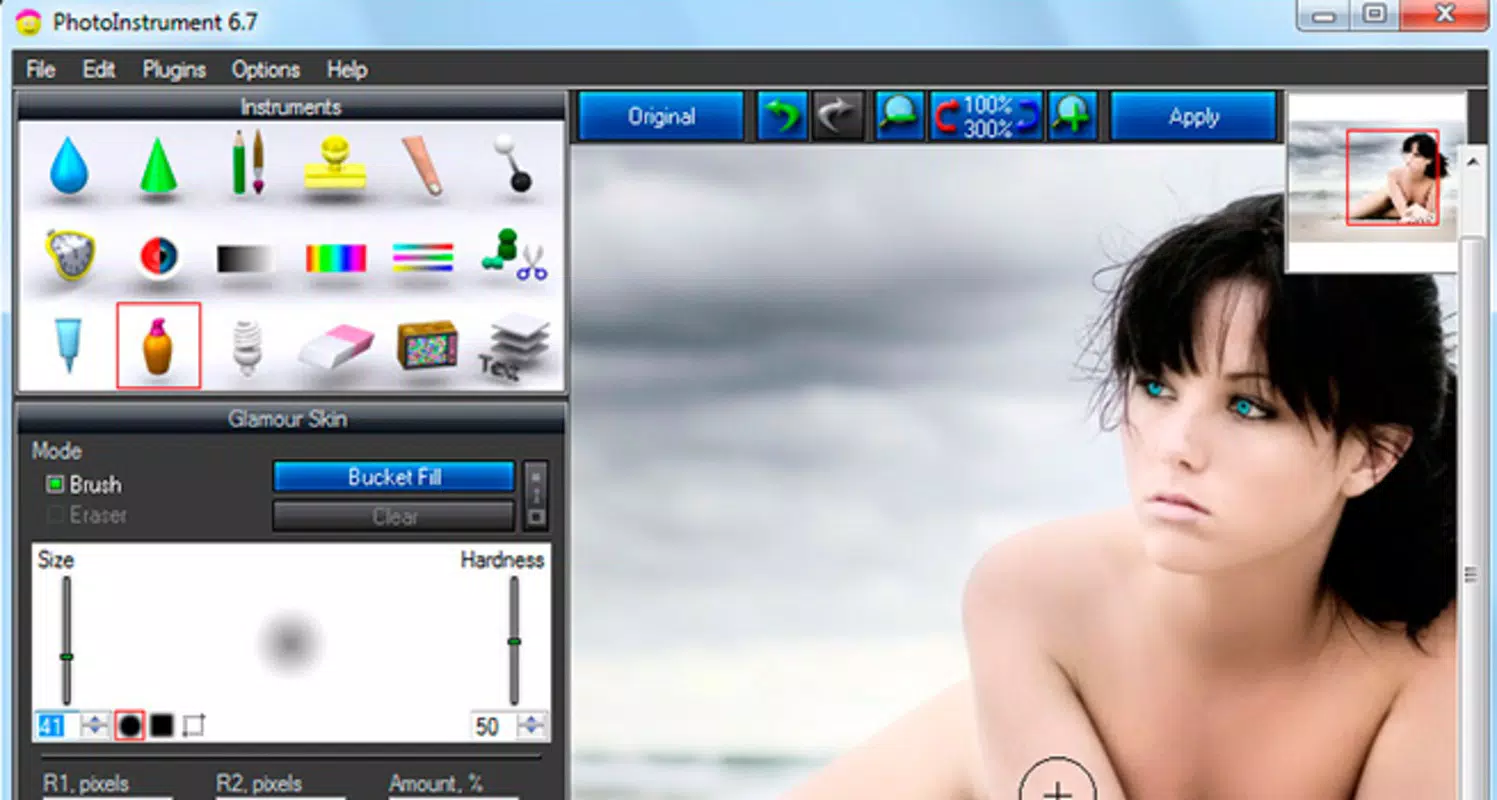
- Advanced Makeup Tools: This feature enables users to apply virtual makeup enhancements, helping to improve facial appearance by softening features and adding subtle cosmetic effects.
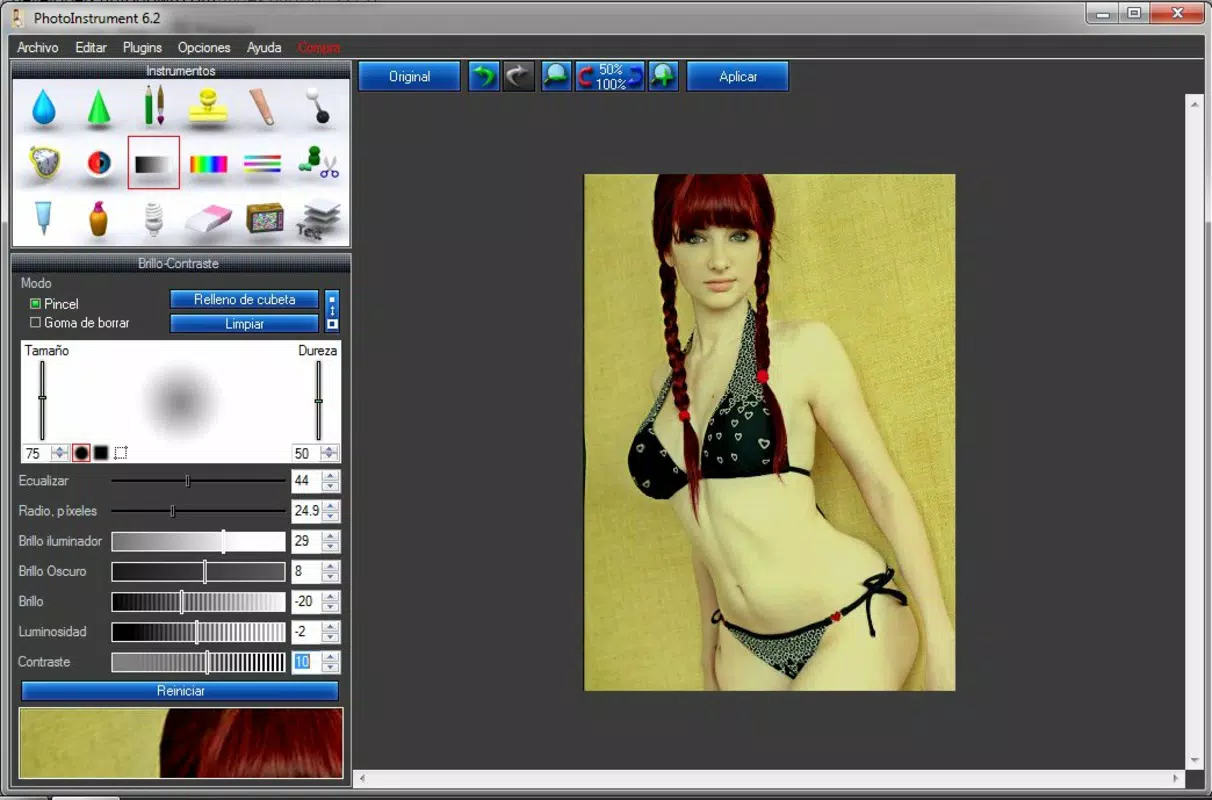
- Skin Cleaning Effects: Designed to reduce imperfections such as blemishes, uneven texture, and minor scars, this tool delivers a refined and natural skin finish.
- Red-Eye Removal: A dedicated function that detects and corrects red-eye in photographs, resulting in more realistic and visually appealing portraits.
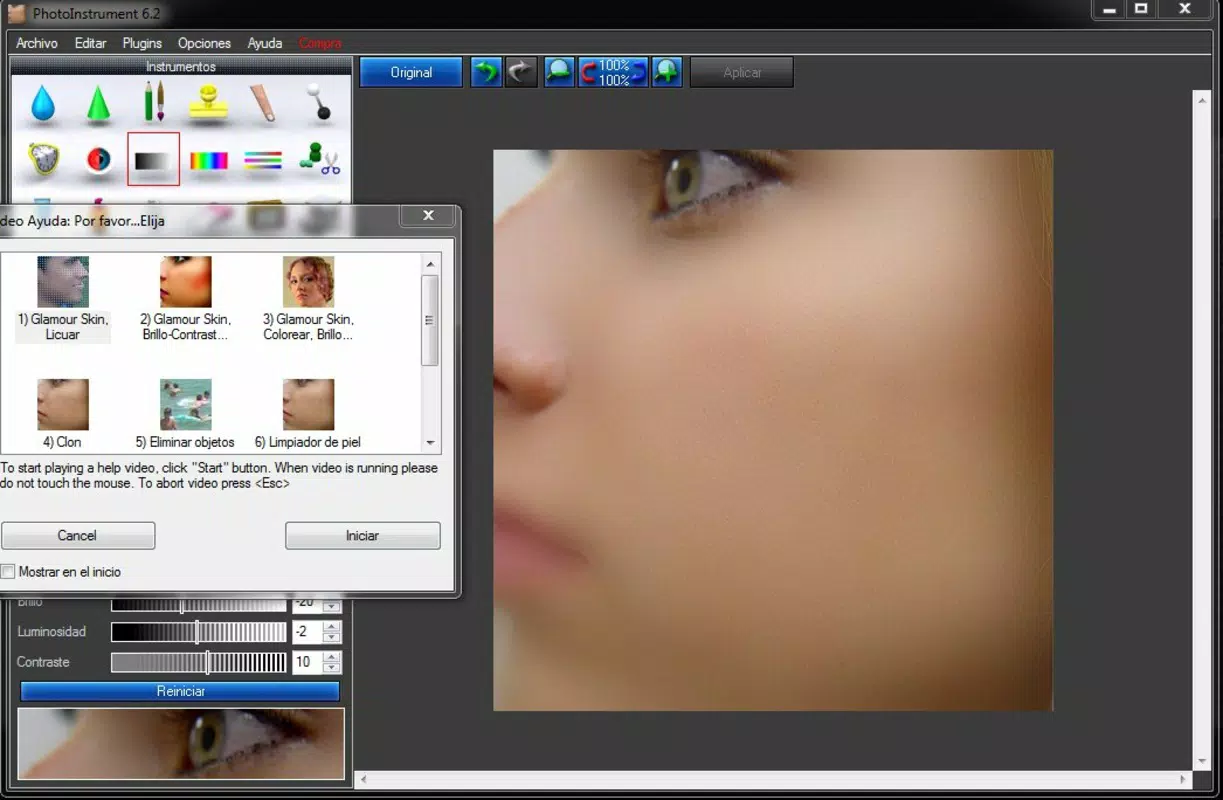
- In-App Tutorials: Step-by-step guidance is available within the app for each editing effect, helping users understand how to apply tools correctly and achieve optimal results.
For example, a user preparing a profile photo for a dating app can use the skin cleaning and makeup tools to enhance their appearance subtly. Similarly, someone editing a family photo can remove red-eye and smooth skin tones to create a more cohesive, polished image. These features are particularly beneficial for users who want professional-level edits without investing time in learning complex software.
Interface, UX & Performance
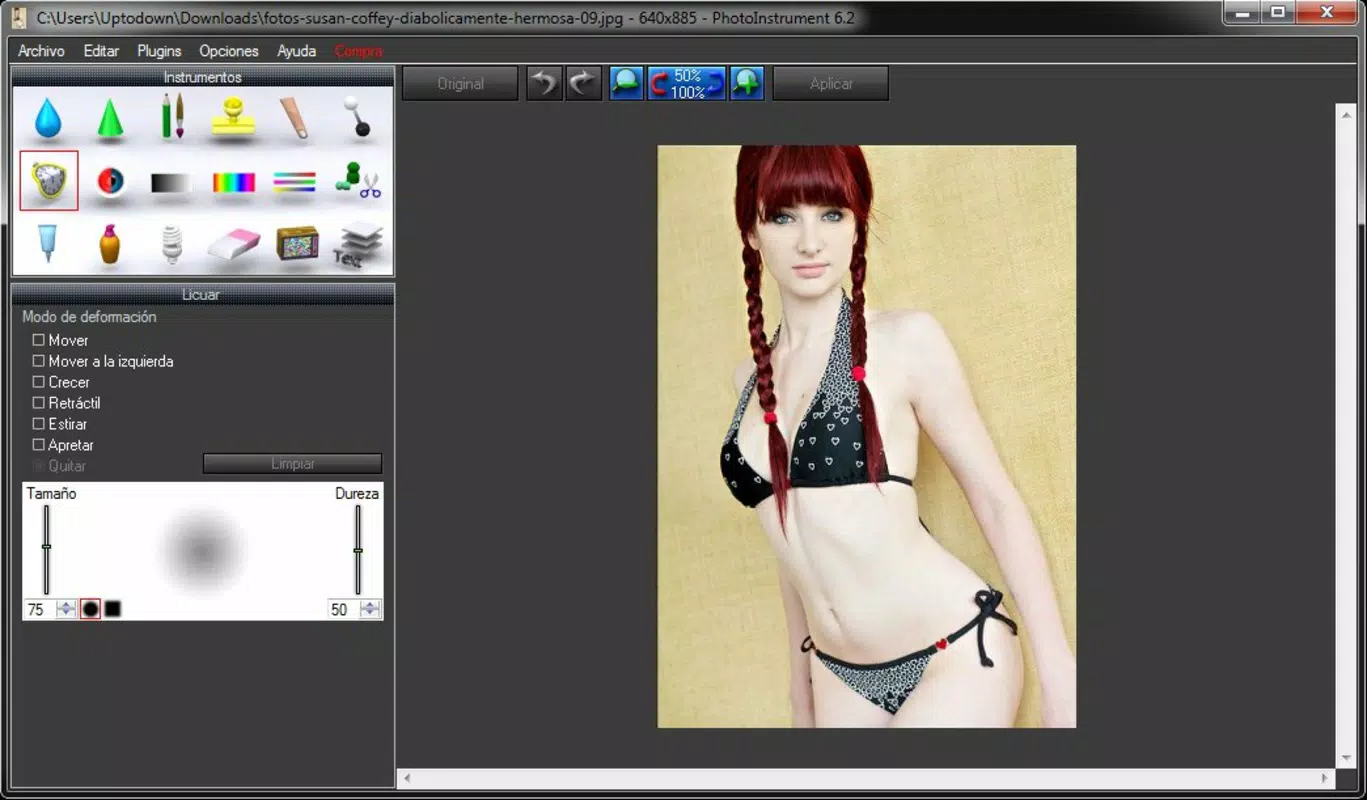
PhotoInstrument presents a clean, organized interface with tools grouped logically for ease of access. The visual style is minimalistic, focusing on functionality rather than decorative elements, which contributes to a distraction-free editing experience. Navigation is straightforward, with a clear layout that allows users to switch between tools and preview changes in real time.
The app maintains responsiveness across various device categories, although the developer did not list formal performance metrics. Stability appears consistent based on the app’s long-term availability. Although the developer did not specify minimum OS requirements or performance benchmarks, the app functions smoothly on mid-range Android devices, suggesting efficient resource management.
Users can expect minimal lag during editing tasks such as applying skin smoothing or red-eye correction. The interface adapts well to different screen sizes, ensuring usability on both smartphones and tablets. Overall, the user experience is designed to prioritize accessibility and speed, aligning with the app’s goal of simplifying portrait editing for a broad audience.
Platform Compatibility & Technical Requirements
PhotoInstrument is available on the Android platform and supports the specified version 2.2.3. The app has a file size of 54.3 MB, which is relatively compact for a photo editing tool with multiple features. The developer did not specify minimum OS requirements or device compatibility details.
As such, compatibility with specific Android versions or hardware configurations remains unclear. Users should ensure their device meets general Android system standards for running third-party apps. The app is currently offered at no cost, making it accessible to a wide range of users.
While the developer did not provide information about update frequency or background processes, the app’s continued presence since 2017 suggests ongoing maintenance. For users seeking a lightweight, free solution for portrait editing, the app’s technical footprint is favorable.
Pros and Cons
Pros
- Intuitive interface suitable for beginners and non-technical users
- Specialized tools for face retouching and skin smoothing
- Effective red-eye removal feature for improved portrait quality
- Free to download and use with no in-app purchases disclosed
- In-app tutorials help users learn editing techniques without external resources
Cons
- Developer did not provide detailed system requirements or compatibility information
- No information on update frequency or long-term development plans
- Specific technical performance data, such as processing speed or memory usage, was not disclosed
- Limited to Android platform; no availability on iOS or other systems was confirmed
- App size, while moderate, may be considered large for users with limited storage
FAQ
Is PhotoInstrument safe to download and install?
Yes, the app is available through official Android channels and is free from known malware. As with any app, users should ensure they download from trusted sources.
Does PhotoInstrument require an internet connection?
The app functions entirely offline, allowing users to edit photos without an active internet connection.
Can I use PhotoInstrument on iOS devices?
Currently, the app is only available on Android. No iOS version has been released or announced.
How often is PhotoInstrument updated?
The developer did not disclose update frequency. The last version listed is 2.2.3, released in 2017.
Is PhotoInstrument free to use?
Yes, the app is offered at no cost. No in-app purchases or subscription models were identified in the provided information.
Final Thoughts
PhotoInstrument stands out as a practical, accessible solution for users seeking to enhance portraits with minimal effort. Its focus on face retouching, skin smoothing, and red-eye correction makes it particularly valuable for those who want polished results without mastering complex software. The inclusion of in-app tutorials further supports user independence and confidence.
While the app lacks detailed technical disclosures and platform expansion, its core functionality remains relevant and effective. For casual users, social media content creators, and anyone looking to improve their photos quickly, PhotoInstrument delivers real value. The combination of intuitive design, specialized tools, and a free model enhances its appeal in the mobile photography space.
Download PhotoInstrument now.


